What if every machine's agent usage fit on one screen?
usage-dash: coding-agent usage from every machine, in one dashboard
- Runs on
- Web, macOS 14+
- First released
- Updated
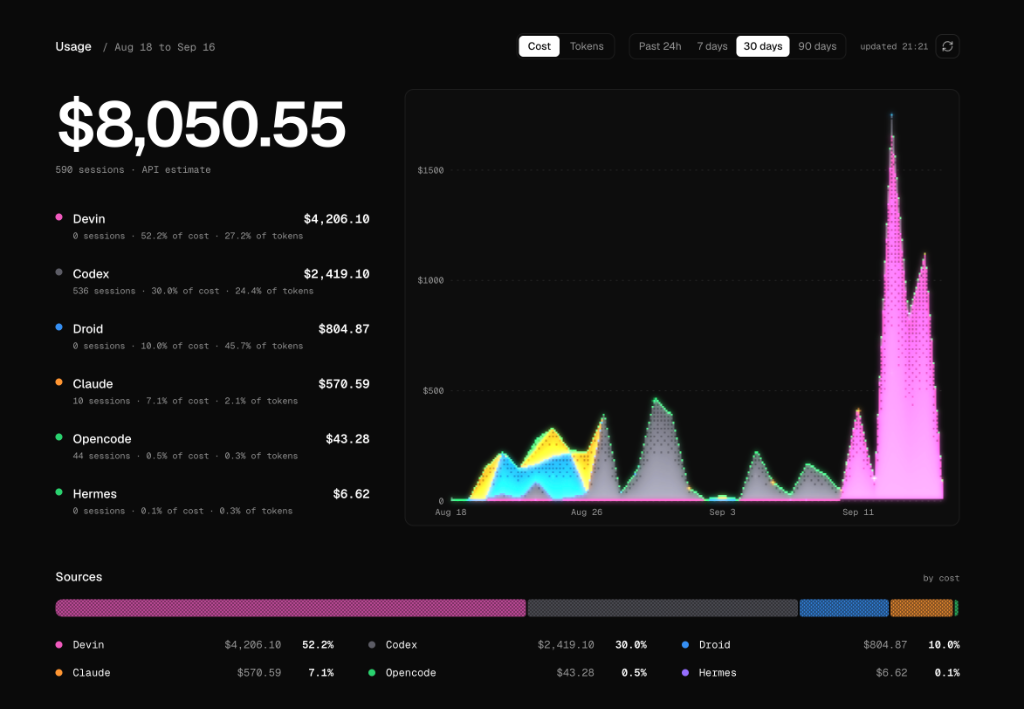
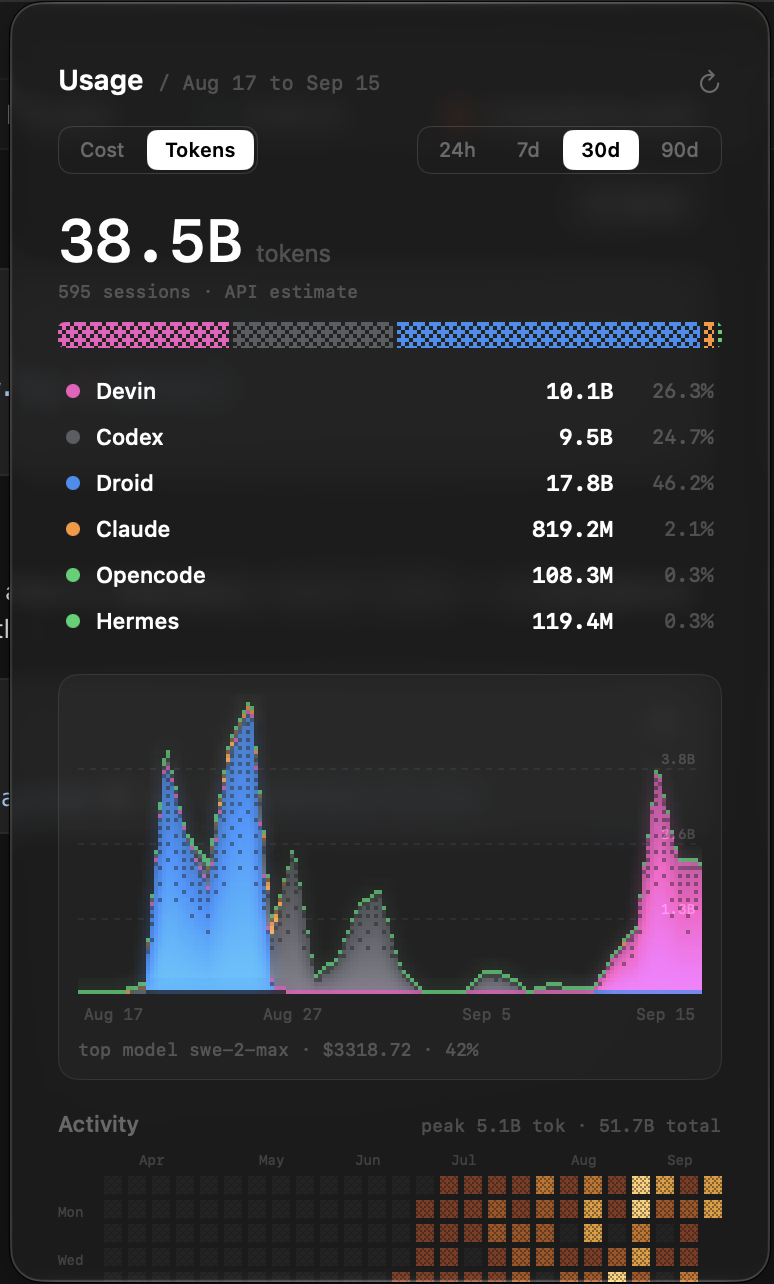
usage-dash shows the token and cost usage of your coding-agent CLIs across every machine you own, in one place. It collects over SSH from Mac, Linux and Windows machines and draws dithered charts on a web page and in a menu-bar app called UsageBar. It's for people who run Claude Code, Codex, Devin or similar tools on several machines.
How usage-dash refreshes without a cron job
A request starts the scan. This is stale-while-revalidate, in lib/usage-cache.ts. The server reads .data/usage-cache.json, and if the file is older than 60 seconds it starts one background refresh and returns the cached data at once, marked stale. A refreshInFlight guard allows one scan at a time, and the response carries an estimated time of arrival: the average of the last 5 scan durations.
The refresh runs scripts/fetch-all.sh, which runs ccusage locally and on every configured machine in parallel over ssh -o BatchMode=yes -o ConnectTimeout=10. Windows machines use a PowerShell variant. scripts/merge-usage.ts merges the results, and a machine that can't be reached is skipped for that scan.
The dashboard offers 24h, 7d, 30d and 90d ranges, and UsageBar polls every 60 seconds. The README says "5-min cache" in two places, but the code sets 60 seconds.
How usage-dash counts Devin, which ccusage can't
Devin isn't in ccusage, so scripts/fetch-devin.ts reads Devin's own SQLite file, ~/.local/share/devin/cli/sessions.db. It takes the token counts and model for each message and prices them in lib/pricing.ts. An incremental cache in .data/devin-cache.json keeps later scans short.
What usage-dash can't do
- It needs Bun and key-based SSH to each machine.
- The server has no authentication. Keep it on a trusted network and off a public IP address.
- The costs are estimates at API prices, computed from local transcript files. They aren't a bill.
- It reads only the agents
ccusageunderstands, plus Devin. - UsageBar needs macOS 14 and is built from source. I found no prebuilt release.
usage-dash compared with ccusage and provider dashboards
ccusage is the tool usage-dash wraps. On one machine, ccusage alone gives the same report and is simpler to run, so usage-dash doesn't beat it there. What usage-dash adds is the merge across machines and agents, plus a menu-bar view. The usage pages of the providers show billing-true numbers for one provider. usage-dash reads local transcripts, so it covers several tools at once and its figures are estimates.
Run usage-dash
You need Bun and key-based SSH to each machine. UsageBar needs macOS 14 and the Xcode command line tools.
git clone https://github.com/hridaya423/usage-dash && cd usage-dash
bash scripts/setup.sh
bun start
bun start serves http://:3200. List your machines in machines.config.json, then run bash scripts/authorize.sh to install your SSH key on each. bash menubar/build.sh builds ~/Applications/UsageBar.app; set the hub URL in its settings. MIT licensed: https://github.com/hridaya423/usage-dash